
Loading page
Meec 판매
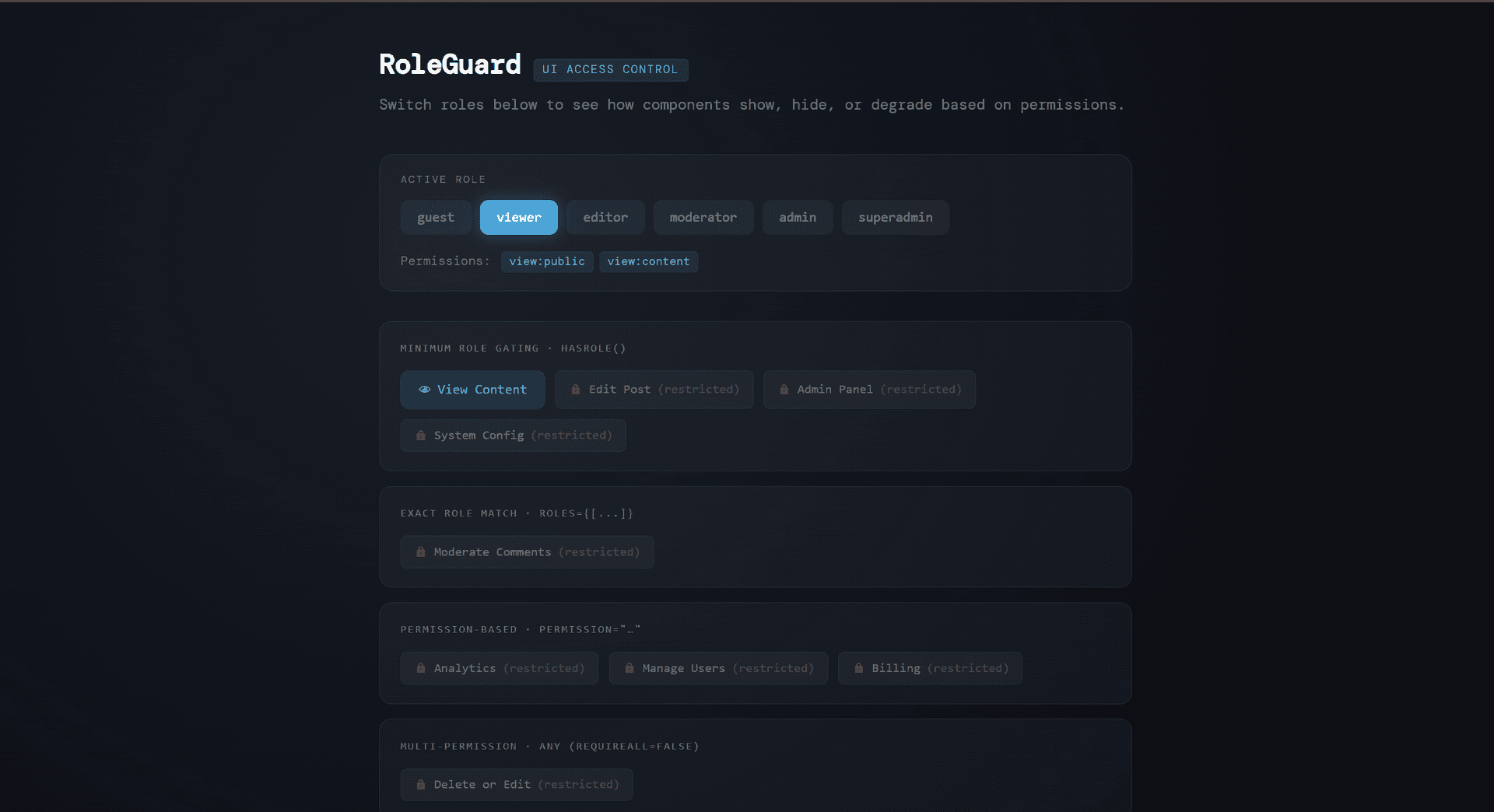
TypeScript role-based access control system with hierarchical permissions and React components for guarding UI elements. Features six role levels (guest to superadmin), granular permission checking, and both component and hook-based guards for conditional rendering. Includes a fully interactive demo with real-time role switching and permission visualization. Licensed under Tetrees License.
Role-Based UI Guard is a TypeScript/React component library that provides a complete role-based access control (RBAC) system for frontend applications. It enables developers to conditionally render UI elements, restrict actions, and manage permissions based on user roles with a hierarchical permission model.
npm install
npm run dev
Wrap your app with AuthProvider:
import { AuthProvider, RoleGuard, useGuard } from './App';

function App() {
  return (
    <AuthProvider initialRole="viewer">
      <Dashboard />
    </AuthProvider>
  );
}
// Guard by single role
<RoleGuard role="admin">
  <AdminPanel />
</RoleGuard>

// Guard by multiple roles
<RoleGuard roles={["admin", "moderator"]}>
  <ModeratorTools />
</RoleGuard>

// Guard by permission
<RoleGuard permission="edit:content">
  <EditButton />
</RoleGuard>

// Guard by multiple permissions (require all)
<RoleGuard
  permissions={["manage:users", "manage:billing"]}
  requireAll={true}
>
  <BillingPanel />
</RoleGuard>

// With fallback UI
<RoleGuard
  role="admin"
  fallback={<LockedFeature />}
  showFallback={true}
>
  <AdminFeature />
</RoleGuard>
격리된 샌드박스를 띄워 서버에서 바로 실행하세요 — 로컬 설정 불필요.
이 제품을 AI IDE, 웹 빌더 또는 클라우드 IDE로 바로 가져오세요.
Download your licensed source snapshot from the library, then follow the setup guide in your workspace.
아직 리뷰가 없습니다.
토론을 불러오는 중…
function MyComponent() {
  const canEdit = useGuard({ permission: "edit:content" });
  const isAdmin = useGuard({ role: "admin" });
  const hasAnyModPerm = useGuard({
    permissions: ["manage:comments", "manage:users"]
  });

  return (
    <>
      {canEdit && <EditButton />}
      {isAdmin && <AdminPanel />}
    </>
  );
}
function UserProfile() {
  const { currentRole, setCurrentRole, hasPermission } = useAuth();

  return (
    <div>
      <p>Current Role: {currentRole}</p>
      {hasPermission("manage:users") && <UserManager />}
    </div>
  );
}
| Role | Hierarchy | Permissions |
|---|---|---|
| guest | 0 | view:public |
| viewer | 1 | view:public, view:content |
| editor | 2 | view:public, view:content, edit:content, create:content |
| moderator | 3 | editor + delete:content, manage:comments |
| admin | 4 | moderator + manage:users, view:analytics |
| superadmin | 5 | admin + manage:billing, manage:system |
npm run dev          # Start dev server
npm run build        # Build for production
npm run preview      # Preview production build
npm run typecheck    # Run TypeScript type checking
npm run lint         # Lint code
npm run lint:fix     # Auto-fix linting issues
Tetrees License
샌드박스 검증이 완료되었으며 감지된 실행 경로가 통과했습니다.
This React web app completed archive review with strong static results. Structure, dependency manifests, documentation, functional source, and common risk patterns were checked by the Tetrees verification pipeline; runtime phases are stated separately. Final verified scores after isolated runtime evidence: overall 8.8 and security 9.
Deterministic AVCP artifact review
파이프라인 avcp-2026-08-04.1 · SHA-256 81dcd9a1fe601f44…
This version-scoped review deterministically inspects the submitted archive for structure, dependencies, documentation, functional source, and common malicious or high-risk signals. Build and test phases are reported as passed only after an isolated sandbox audition. It is not a guarantee of perfect security.
검토일 2026년 8월 7일
전체 설치 가이드와 연동 프롬프트는 구매 후 열람할 수 있습니다.
Game Source Code & Interactive Templates
US$13.21

