
Loading page
by devbyibrahim
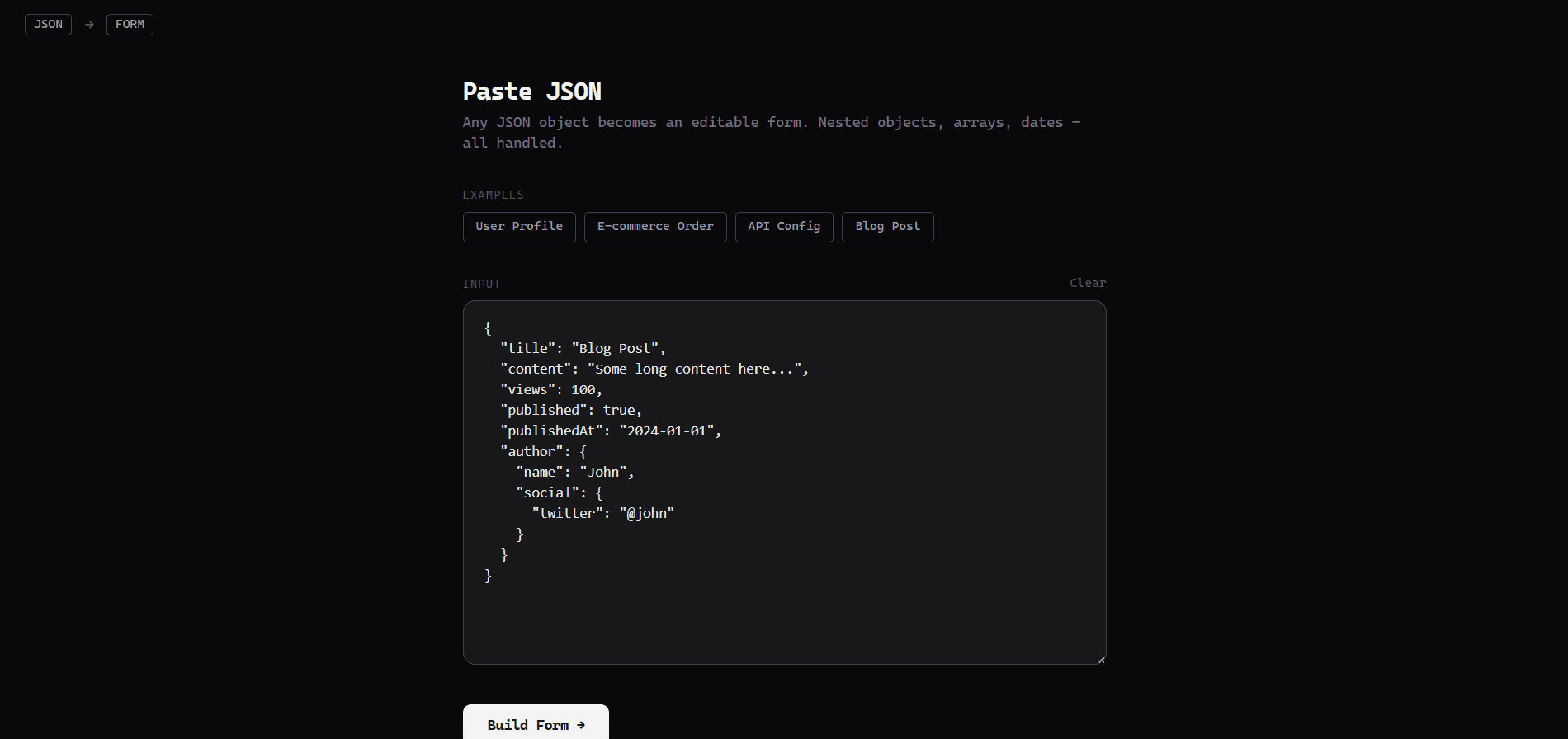
Submit your JSON, convert it to form. Edit, submit and copy the edited JSON.
A zero-config tool that turns any JSON object into a fully interactive, validated form — instantly, in the browser.
Paste raw JSON, click Build Form, and get a typed, editable form with smart field detection, inline validation, and clean JSON output on submit.
The schema inference engine (src/lib/formApi.ts) inspects each value and applies rules automatically:
| Value pattern | Widget / format applied |
|---|---|
"jane@example.com" | email input |
"https://…" | url input |
"2024-03-15" | date picker |
"2024-03-15T08:45:00Z" | datetime-local picker |
Long strings / keys like bio, body, notes | <textarea> |
Keys like password, secret, token | password input |
true / false | Toggle / checkbox |
| Numbers | number input |
| Arrays of primitives | Editable tag list |
| Nested objects | Collapsible sub-form section |
Four real-world payloads are included to demo the full range of field types:
Spin up an isolated sandbox and run it server-side — no local setup.
Push this product straight into your AI IDE, web builder or cloud IDE.
Download your licensed source snapshot from the library, then follow the setup guide in your workspace.
No reviews yet.
Sign in to join the discussion
Loading discussion…
Client-side validation runs on submit via src/lib/validate.ts:
email, uri, date, date-timesrc/
├── App.tsx # Stage machine: paste → loading → form → submitted
├── components/
│ ├── SchemaForm.tsx # Form shell, validation orchestration, submit/clear
│ └── FieldRenderer.tsx # Recursive field renderer for all types & depths
├── lib/
│ ├── formApi.ts # Client-side schema inference engine
│ └── validate.ts # Validation logic
└── index.css # Tailwind v4 + custom layer styles
| Layer | Choice |
|---|---|
| Framework | React 18 + TypeScript |
| Build tool | Vite |
| Styling | Tailwind CSS v4 |
| Schema | Client-side inference (no backend required) |
| Validation | Custom client-side validator |
npm install
npm run dev
Build for production:
npm run build
Output goes to dist/. The app is fully static — no server or API required.
A backend service that infers, enriches, translates, and validates JSON Schemas from raw data. Useful for dynamically generating form definitions with widget hints from any JSON payload.
Given a plain JSON object (e.g. a database record or API response), this service infers a full JSON Schema with human-readable titles and UI widget hints (x-widget). It also accepts existing schemas and enriches them, and validates form submission data against a schema.
npm install
npm run dev     # development (ts-node-dev)
npm run build   # compile TypeScript
npm start       # run compiled output
| Convention | Choice |
|---|---|
| Field naming | camelCase in all request/response bodies |
| ID format | Not applicable (stateless service) |
| Response wrapper | { data: <payload> } for all success responses |
| Error wrapper | { error: "<message>" } for all error responses |
| Date format | ISO 8601 (YYYY-MM-DD or YYYY-MM-DDTHH:MM:SSZ) |
GET /health · GET /api/healthHealth check.
curl -s http://localhost:9022/api/health
Response
{ "status": "ok", "timestamp": "2026-04-22T10:00:00.000Z" }
POST /api/form/schemaAccepts either raw JSON data or an existing JSON Schema object. If the payload looks like a schema ($schema, type: "object" + properties, etc.) it enriches it; otherwise it infers a schema from scratch.
Supports an optional { _title, _data } wrapper to avoid key collisions with reserved fields.
Request body — flat raw data
{
  "name": "Alice",
  "email": "alice@example.com",
  "age": 30,
  "bio": "Software engineer based in NYC."
}
Request body — wrapper form
{
  "_title": "User Profile",
  "_data": {
    "name": "Alice",
    "email": "alice@example.com",
    "age": 30,
    "bio": "Software engineer based in NYC."
  }
}
curl -s -X POST http://localhost:9022/api/form/schema \
  -H "Content-Type: application/json" \
  -d '{"_title":"User Profile","_data":{"name":"Alice","email":"alice@example.com","age":30,"bio":"Software engineer."}}'
Response
{
  "data": {
    "$schema": "http://json-schema.org/draft-07/schema#",
    "type": "object",
    "title": "User Profile",
    "properties": {
      "name":  { "type": "string",  "title": "Name",  "x-widget": "text" },
      "email": { "type": "string",  "title": "Email", "format": "email", "x-widget": "email" },
      "age":   { "type": "integer", "title": "Age",   "x-widget": "number" },
      "bio":   { "type": "string",  "title": "Bio",   "x-widget": "textarea" }
    }
  }
}
POST /api/form/inferStrictly infers a schema from raw JSON data. Never treats the input as an existing schema — always runs full value-level type inference.
Request body
{
  "username": "bob42",
  "score": 9.5,
  "active": true,
  "createdAt": "2026-01-15T08:30:00Z"
}
curl -s -X POST http://localhost:9022/api/form/infer \
  -H "Content-Type: application/json" \
  -d '{"username":"bob42","score":9.5,"active":true,"createdAt":"2026-01-15T08:30:00Z"}'
Response
{
  "data": {
    "$schema": "http://json-schema.org/draft-07/schema#",
    "type": "object",
    "title": "Form",
    "properties": {
      "username":  { "type": "string",  "title": "Username",   "x-widget": "text" },
      "score":     { "type": "number",  "title": "Score",      "x-widget": "number" },
      "active":    { "type": "boolean", "title": "Active",     "x-widget": "checkbox" },
      "createdAt": { "type": "string",  "title": "Created At", "format": "date-time", "x-widget": "datetime-local" }
    }
  }
}
POST /api/form/translateEnriches a single JSON Schema field definition with a human-readable title and an x-widget hint. Useful when you already have a schema and want widget annotations for one field at a time.
Request body
{
  "key": "birthDate",
  "field": {
    "type": "string",
    "format": "date"
  }
}
curl -s -X POST http://localhost:9022/api/form/translate \
  -H "Content-Type: application/json" \
  -d '{"key":"birthDate","field":{"type":"string","format":"date"}}'
Response
{
  "data": {
    "type": "string",
    "format": "date",
    "title": "Birth Date",
    "x-widget": "date"
  }
}
POST /api/form/validateValidates a form data object against a JSON Schema. Checks required fields, type constraints (minimum, maximum, minLength, maxLength, pattern), and recurses into nested objects.
Request body
{
  "schema": {
    "type": "object",
    "properties": {
      "email":    { "type": "string", "format": "email", "title": "Email" },
      "password": { "type": "string", "minLength": 8,    "title": "Password" }
    },
    "required": ["email", "password"]
  },
  "data": {
    "email": "",
    "password": "abc"
  }
}
curl -s -X POST http://localhost:9022/api/form/validate \
  -H "Content-Type: application/json" \
  -d '{
    "schema": {
      "type": "object",
      "properties": {
        "email":    {"type":"string","format":"email","title":"Email"},
        "password": {"type":"string","minLength":8,"title":"Password"}
      },
      "required": ["email","password"]
    },
    "data": {"email":"","password":"abc"}
  }'
Response — validation failed
{
  "valid": false,
  "errors": {
    "email":    "Email is required",
    "password": "Minimum 8 characters"
  }
}
Response — validation passed
{
  "valid": true,
  "errors": {}
}
The sandbox audition completed and the detected runnable path passed.
This Express backend / api completed archive review with strong static results. Structure, dependency manifests, documentation, functional source, and common risk patterns were checked by the Tetrees verification pipeline; runtime phases are stated separately. Final verified scores after isolated runtime evidence: overall 8.8 and security 9.
Deterministic AVCP artifact review
Pipeline avcp-2026-08-04.1 · SHA-256 bad549cecb4afe5a…
This version-scoped review deterministically inspects the submitted archive for structure, dependencies, documentation, functional source, and common malicious or high-risk signals. Build and test phases are reported as passed only after an isolated sandbox audition. It is not a guarantee of perfect security.
Reviewed Aug 7, 2026
The full install guide and integration prompts unlock after purchase.
Automation, Utilities & Developer Tools
Free

