
Loading page
bởi bento
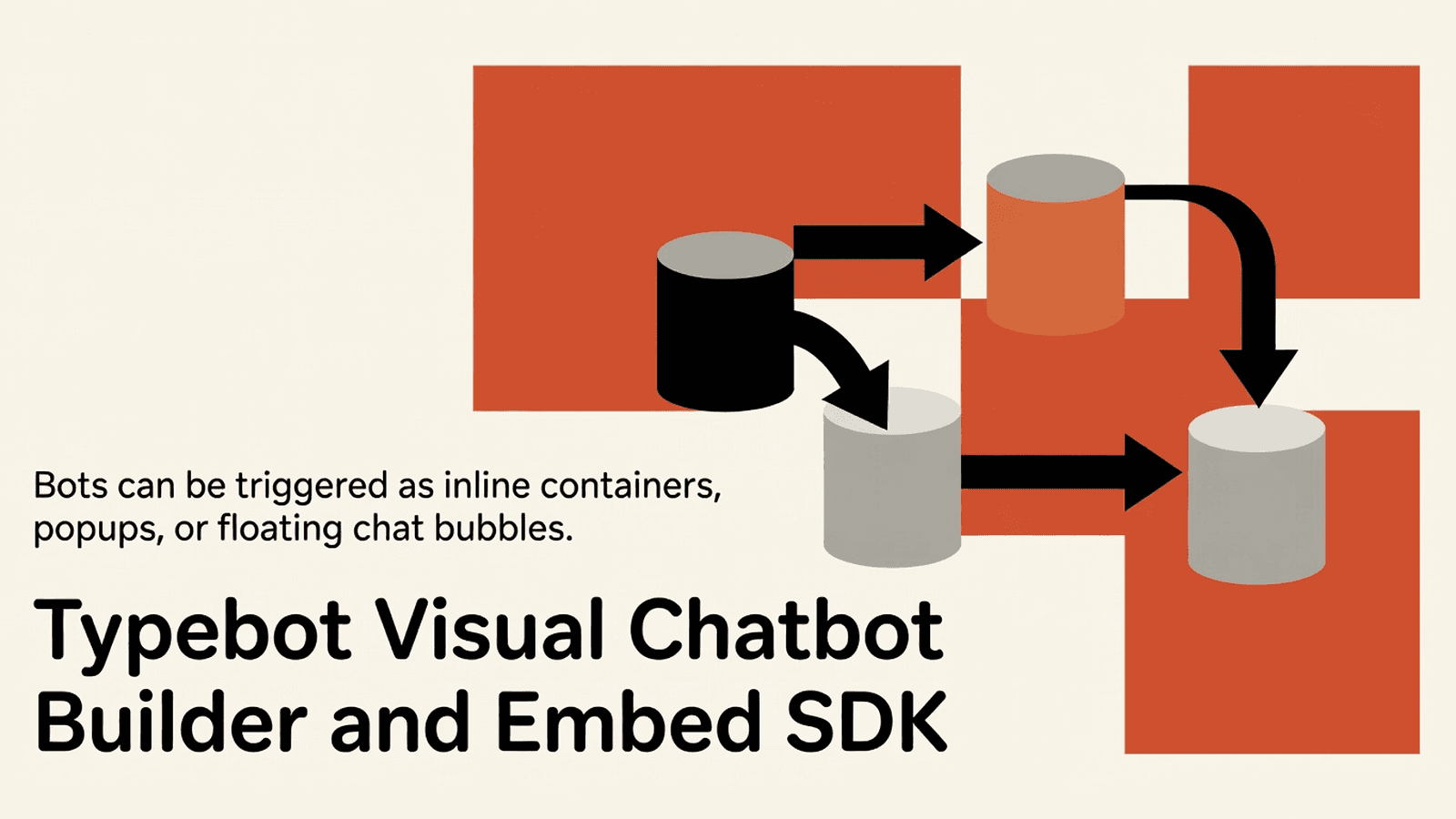
Typebot is a visual chatbot builder with 34+ building blocks for logic, inputs, and integrations. Embed bots anywhere via JS, React, or WordPress with real-time result collection.
This block delivers the full Typebot monorepo source: a Fair Source visual chatbot builder backed by a Next.js frontend (apps/builder), a viewer runtime (apps/viewer), and a suite of shared packages under packages/. The typical buyer is a team self-hosting Typebot who needs to modify the builder UI, extend block types, or integrate the viewer into an existing product.
.agents/ - AI agent skill definitions for commit, UI, model-update, and animation workflows.claude/ - Launch configuration for Claude AI assistant integration.codex/ - Codex environment configuration (environment.toml).github/ - CI/CD workflows (typecheck, release, deploy, publish) and issue templates.vscode/ - Editor settings, i18n-ally framework config, recommended extensions.zed/ - Zed editor settingsapps/builder/ - Next.js application: the visual chatbot builder UIapps/docs/ - Documentation site sourceapps/landing-page/ - Marketing landing page applicationapps/viewer/ - Next.js application: the chatbot viewer/runtimepackages/ - Shared TypeScript packages (config, schemas, blocks, integrations, etc.)biome.json - Biome linter/formatter configurationbunfig.toml - Bun runtime configurationdocker-compose.yml / docker-compose.dev.yml / docker-compose.build.yml - Container orchestration for production, development, and build targetsnx.json - Nx monorepo task pipeline configurationpackage.json - Root workspace manifesttsconfig.base.json / tsconfig.json - Shared TypeScript path aliases and compiler optionsvitest.config.ts - Vitest test runner pointing at all package-level configs# Runtime - install at workspace root (uses Bun workspaces)
npm install next react react-dom
npm install @prisma/client
npm install @trpc/server @trpc/client @trpc/react-query
npm install @tanstack/react-query
npm install zod
npm install next-auth
npm install @aws-sdk/client-s3
npm install nodemailer
npm install stripe
npm install openai
npm install bull
npm install redis
# Dev tooling
npm install --save-dev typescript @types/node @types/react
npm install --save-dev vitest @vitest/coverage-v8
npm install --save-dev @biomejs/biome
npm install --save-dev nx
Khởi chạy sandbox cách ly và chạy phía máy chủ — không cần cài đặt cục bộ.
Tetrees AI Review cho phiên bản này
This Express backend / api completed archive review. Structure, dependency manifests, documentation, functional source, and common risk patterns were checked by the Tetrees verification pipeline; runtime phases are stated separately.
Deterministic AVCP artifact review
Quy trình avcp-2026-08-04.1 · SHA-256 5a6aa56e7d684ed8…
This version-scoped review deterministically inspects the submitted archive for structure, dependencies, documentation, functional source, and common malicious or high-risk signals. Build and test phases are reported as passed only after an isolated sandbox audition. It is not a guarantee of perfect security.
Đã đánh giá 4 thg 8, 2026
Đưa sản phẩm này thẳng vào AI IDE, trình tạo web hoặc cloud IDE của bạn.
Download your licensed source snapshot from the library, then follow the setup guide in your workspace.
Chưa có đánh giá.
Sign in to join the discussion
Loading discussion…
Native / platform steps: This project is designed to run with Bun as the package manager (
bunfig.tomlis present). Replacenpm installabove withbun installif using Bun. Database migrations requirebunx prisma migrate deploy. No iOS/Android linking is required.
Drop source: Place the source/ directory at your repo root or as a git subtree. The workspace root is . (the monorepo root).
Install dependencies:
bun install
# or: npm install (with Node >=20)
Configure environment variables: Copy and populate env files for each app:
cp apps/builder/.env.example apps/builder/.env.local
cp apps/viewer/.env.example apps/viewer/.env.local
Minimum required vars for the builder:
DATABASE_URL=postgresql://user:pass@localhost:5432/typebot
NEXTAUTH_URL=http://localhost:3000
NEXTAUTH_SECRET=<random-secret>
ENCRYPTION_SECRET=<32-char-secret>
NEXT_PUBLIC_VIEWER_URL=http://localhost:3001
Wire TypeScript paths: The root tsconfig.base.json defines workspace aliases. In your consuming tsconfig.json:
{
  "extends": "./source/tsconfig.base.json",
  "compilerOptions": {
    "baseUrl": "."
  }
}
Run database migrations:
cd source
bunx prisma migrate deploy --schema packages/prisma/schema.prisma
Start the builder in development:
cd source
bun run dev --filter=@typebot.io/builder
# or via docker:
docker compose -f docker-compose.dev.yml up
Run tests:
cd source
bun run test
ImageUploadContentimport { ImageUploadContent } from "@/components/ImageUploadContent";
// Rendered inside the block settings panel of the builder
<ImageUploadContent
url={currentImageUrl}
onSubmit={(url: string) => handleUrlChange(url)}
/>
A controlled React component used within the builder's block settings to let users pick or upload an image. Use it when adding a new block type that contains an image property, or when you need to expose an image URL field inside any settings form panel.
vitest project config (exported from vitest.config.ts)import { defineConfig } from "vitest/config";
import { fileURLToPath } from "node:url";
export default defineConfig({
root: fileURLToPath(new URL(".", import.meta.url)),
test: {
projects: ["packages/**/vitest.config.{ts,mts}"],
globalSetup: ["./packages/config/src/tests/globalSetup.ts"],
},
});
The root Vitest configuration delegates test discovery to each package's own vitest.config.ts. Reference this pattern when adding a new package: create a vitest.config.ts in the package root and it will be picked up automatically without editing the root config.
ImageUploadContent (re-export barrel)// apps/builder/src/components/ImageUploadContent/index.tsx
export { ImageUploadContent } from "./ImageUploadContent";
Barrel index that re-exports the component from its implementation file. When you add new builder UI components, follow this single-export barrel convention so tree-shaking works correctly with Next.js.
You are adding a "Hero Image" block to the builder. The block settings panel needs an image picker.
import React, { useState } from "react";
import { ImageUploadContent } from "@/components/ImageUploadContent";

interface HeroImageSettings {
  imageUrl: string;
}

interface Props {
  settings: HeroImageSettings;
  onSettingsChange: (updated: HeroImageSettings) => void;
}

export function HeroImageSettingsPanel({ settings, onSettingsChange }: Props) {
  const [url, setUrl] = useState(settings.imageUrl);

  function handleSubmit(newUrl: string) {
    setUrl(newUrl);
    onSettingsChange({ imageUrl: newUrl });
  }

  return (
    <div style={{ padding: "16px" }}>
      <label style={{ fontWeight: 600 }}>Hero image</label>
      <ImageUploadContent url={url} onSubmit={handleSubmit} />
    </div>
  );
}
You want to run the builder and viewer together with a local Postgres instance.
# From source/
docker compose -f docker-compose.yml up --build
// Verify connectivity from a Node health-check script
import { createConnection } from "node:net";

function checkPort(host: string, port: number): Promise<boolean> {
  return new Promise((resolve) => {
    const socket = createConnection({ host, port }, () => {
      socket.destroy();
      resolve(true);
    });
    socket.on("error", () => resolve(false));
  });
}

async function main() {
  const builderReady = await checkPort("localhost", 3000);
  const viewerReady = await checkPort("localhost", 3001);
  console.log({ builderReady, viewerReady });
}

main();
You have created packages/my-feature/ and need tests discovered automatically.
// packages/my-feature/vitest.config.ts
import { fileURLToPath } from "node:url";
import { defineConfig } from "vitest/config";

export default defineConfig({
  root: fileURLToPath(new URL(".", import.meta.url)),
  test: {
    environment: "node",
    include: ["src/**/*.test.ts"],
  },
});
// packages/my-feature/src/greet.ts
export function greet(name: string): string {
  return `Hello, ${name}`;
}

// packages/my-feature/src/greet.test.ts
import { describe, expect, it } from "vitest";
import { greet } from "./greet";

describe("greet", () => {
  it("returns greeting", () => {
    expect(greet("Typebot")).toBe("Hello, Typebot");
  });
});
Run from the workspace root:
bun run test
# Vitest picks up packages/my-feature/vitest.config.ts automatically
.agents/ - Skill markdown files consumed by AI agents for standardized commit messages, UI patterns, model updates, and animation guidelines..claude/ - launch.json configures how the Claude assistant is invoked within the repo context..codex/environments/environment.toml - Declares the Codex sandbox environment spec for automated coding tasks..github/workflows/ - CI pipelines: typechecking, releases, Docker builds, npm publishes for typebot-js and typebot-react, stale-issue management..vscode/ - Workspace-scoped settings including i18n-ally custom framework config for translation key detection..zed/ - Zed editor project-level settings.apps/builder/ - The Next.js builder application; contains src/ (pages, components, features), public/ (static assets, templates), and Next/PostCSS config.apps/docs/ - Documentation site (separate Next.js or static-site app).apps/landing-page/ - Public marketing site for typebot.io.apps/viewer/ - Next.js chatbot viewer/runtime served to end-users at a separate domain.packages/ - All shared logic: Prisma schema, Zod schemas, block definitions, email templates, config, test utilities.biome.json - Single config for Biome linting and formatting across the entire monorepo.bunfig.toml - Bun-specific registry and workspace settings.docker-compose*.yml - Three compose files: production, development (with hot reload), and CI build.nx.json - Defines task dependencies and caching for the Nx build system.tsconfig.base.json - Shared path aliases used by all apps and packages.vitest.config.ts - Root test config delegating to per-package configs via the projects glob.npm or yarn may fail on workspace symlinks. Fix: install Bun (curl -fsSL https://bun.sh/install | bash) and use bun install.ENCRYPTION_SECRET: The builder will crash at startup without a 32-character encryption secret. Fix: set ENCRYPTION_SECRET=$(openssl rand -hex 16) in .env.local.@prisma/client fail with "module not found". Fix: run bunx prisma generate --schema packages/prisma/schema.prisma before starting.NEXT_PUBLIC_VIEWER_URL mismatch: Embedded bots in the builder preview silently fail if this var points to the wrong port. Fix: ensure it matches the actual port the viewer dev server binds to (default 3001).bunx nx reset to clear the local cache.tsconfig paths by default. Fix: add vite-tsconfig-paths plugin to each package's vitest.config.ts.I have purchased the Typebot Builder monorepo source block. The source lives
in ./source/ relative to my project root. I also have USAGE.md open.
The upstream package is @typebot.io/root@3.16.1.
Please help me integrate this into my existing project step by step:
1. Read USAGE.md fully before taking any action.
2. Identify which app or package inside source/ is relevant to my goal: [DESCRIBE YOUR GOAL].
3. Install only the dependencies listed in USAGE.md § "Required dependencies"
that are not already in my package.json.
4. Wire the TypeScript path aliases from source/tsconfig.base.json into my
tsconfig.json without breaking my existing paths.
5. Set up the required environment variables from USAGE.md § "Project setup".
6. Show me a minimal working code snippet that imports from source/ and
achieves [DESCRIBE YOUR GOAL], using only exports confirmed in USAGE.md
§ "Public API".
7. If you need to create new files, place them in src/ and follow the barrel
export pattern shown in USAGE.md.
8. Do not invent APIs. If something is not in USAGE.md or visible in source/,
ask me before assuming it exists.
Typebot is licensed under the GNU Affero General Public License v3.0 (AGPLv3). See source/LICENSE for the full license text. Self-hosted deployments must publish any modifications under the same license.
Upstream repository and package: https://github.com/baptisteArno/typebot.io / @typebot.io/root@3.16.1.
This product’s unique contribution is clean room implementation of valuable code block into AVCP compatible standard.
Hướng dẫn cài đặt đầy đủ và prompt tích hợp sẽ mở khóa sau khi mua.
SaaS, AI & Subscription Products
Miễn phí


