
Loading page
bởi Meec
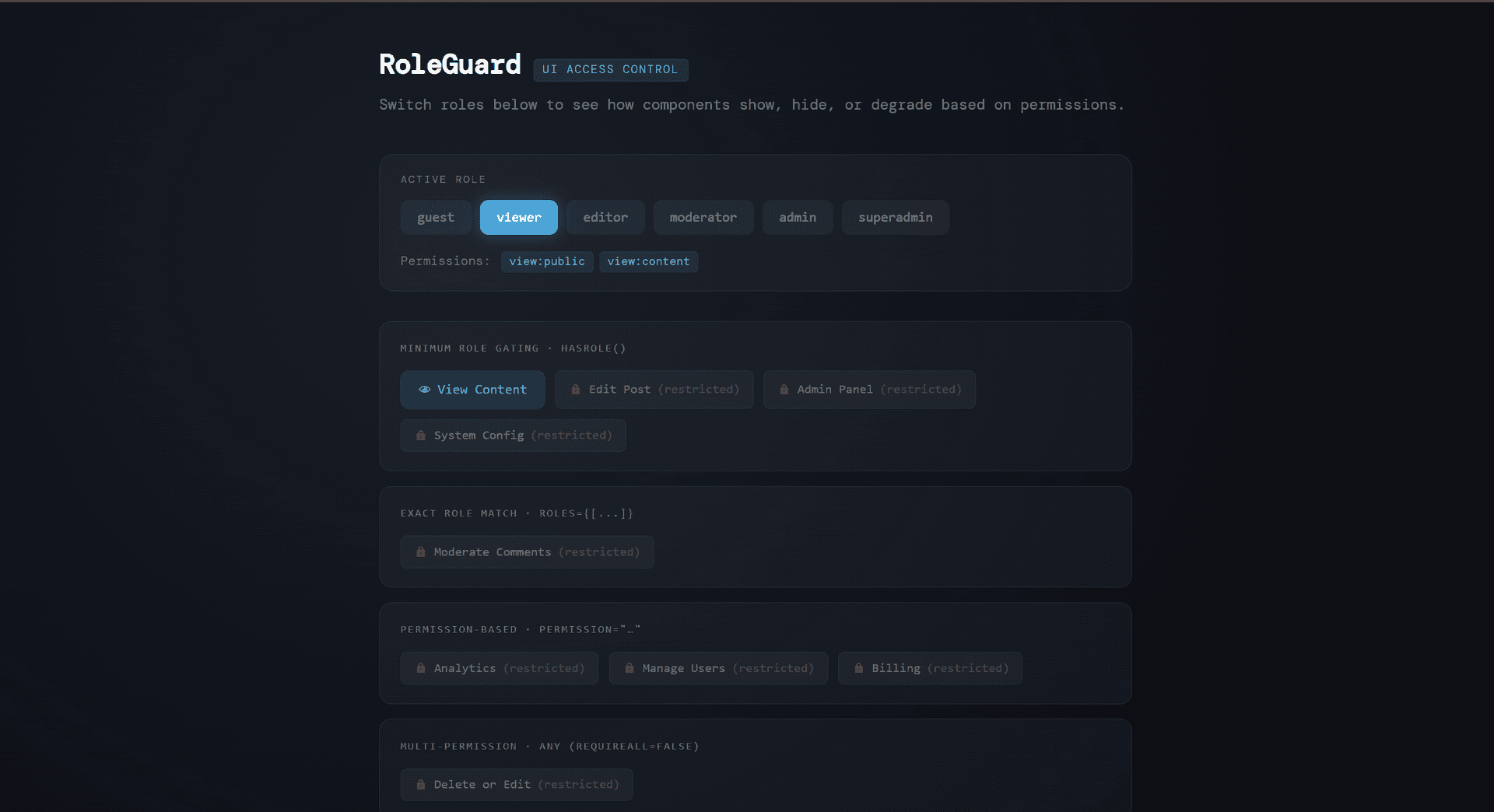
TypeScript role-based access control system with hierarchical permissions and React components for guarding UI elements. Features six role levels (guest to superadmin), granular permission checking, and both component and hook-based guards for conditional rendering. Includes a fully interactive demo with real-time role switching and permission visualization. Licensed under Tetrees License.
Role-Based UI Guard is a TypeScript/React component library that provides a complete role-based access control (RBAC) system for frontend applications. It enables developers to conditionally render UI elements, restrict actions, and manage permissions based on user roles with a hierarchical permission model.
npm install
npm run dev
Wrap your app with AuthProvider:
import { AuthProvider, RoleGuard, useGuard } from './App';

function App() {
  return (
    <AuthProvider initialRole="viewer">
      <Dashboard />
    </AuthProvider>
  );
}
// Guard by single role
<RoleGuard role="admin">
  <AdminPanel />
</RoleGuard>

// Guard by multiple roles
<RoleGuard roles={["admin", "moderator"]}>
  <ModeratorTools />
</RoleGuard>

// Guard by permission
<RoleGuard permission="edit:content">
  <EditButton />
</RoleGuard>

// Guard by multiple permissions (require all)
<RoleGuard
  permissions={["manage:users", "manage:billing"]}
  requireAll={true}
>
  <BillingPanel />
</RoleGuard>

// With fallback UI
<RoleGuard
  role="admin"
  fallback={<LockedFeature />}
  showFallback={true}
>
  <AdminFeature />
</RoleGuard>
Khởi chạy sandbox cách ly và chạy phía máy chủ — không cần cài đặt cục bộ.
Đưa sản phẩm này thẳng vào AI IDE, trình tạo web hoặc cloud IDE của bạn.
Download your licensed source snapshot from the library, then follow the setup guide in your workspace.
Chưa có đánh giá.
Sign in to join the discussion
Loading discussion…
function MyComponent() {
  const canEdit = useGuard({ permission: "edit:content" });
  const isAdmin = useGuard({ role: "admin" });
  const hasAnyModPerm = useGuard({
    permissions: ["manage:comments", "manage:users"]
  });

  return (
    <>
      {canEdit && <EditButton />}
      {isAdmin && <AdminPanel />}
    </>
  );
}
function UserProfile() {
  const { currentRole, setCurrentRole, hasPermission } = useAuth();

  return (
    <div>
      <p>Current Role: {currentRole}</p>
      {hasPermission("manage:users") && <UserManager />}
    </div>
  );
}
| Role | Hierarchy | Permissions |
|---|---|---|
| guest | 0 | view:public |
| viewer | 1 | view:public, view:content |
| editor | 2 | view:public, view:content, edit:content, create:content |
| moderator | 3 | editor + delete:content, manage:comments |
| admin | 4 | moderator + manage:users, view:analytics |
| superadmin | 5 | admin + manage:billing, manage:system |
npm run dev          # Start dev server
npm run build        # Build for production
npm run preview      # Preview production build
npm run typecheck    # Run TypeScript type checking
npm run lint         # Lint code
npm run lint:fix     # Auto-fix linting issues
Tetrees License
Lần kiểm định sandbox đã hoàn tất và đường chạy được phát hiện đã đạt yêu cầu.
This React web app completed archive review with strong static results. Structure, dependency manifests, documentation, functional source, and common risk patterns were checked by the Tetrees verification pipeline; runtime phases are stated separately. Final verified scores after isolated runtime evidence: overall 8.8 and security 9.
Deterministic AVCP artifact review
Quy trình avcp-2026-08-04.1 · SHA-256 81dcd9a1fe601f44…
This version-scoped review deterministically inspects the submitted archive for structure, dependencies, documentation, functional source, and common malicious or high-risk signals. Build and test phases are reported as passed only after an isolated sandbox audition. It is not a guarantee of perfect security.
Đã đánh giá 7 thg 8, 2026
Hướng dẫn cài đặt đầy đủ và prompt tích hợp sẽ mở khóa sau khi mua.
Game Source Code & Interactive Templates
13,21 US$

